
BUILT FOR SOLIDWORKS
Export defect-free DXF profile packages
in under 10 seconds per part
Created specifically for mechanical design and drafting teams, RocketDXF is an extension for SOLIDWORKS that streamlines the profile export and checking process, helping your team stay on top of their workload while decreasing the risk of costly mistakes.
Created specifically for mechanical design and drafting teams, RocketDXF is an extension for SOLIDWORKS that streamlines the profile export and checking process, helping your team stay on top of their workload while decreasing the risk of costly mistakes.


Export from assemblies

Live side-by-side preview

Automatic file naming

SOLIDWORKS compatible

Live side-by-side preview

Export directly from assemblies

SOLIDWORKS compatible
HOW IT WORKS
Using RocketDXF saves you time
without compromising quality.
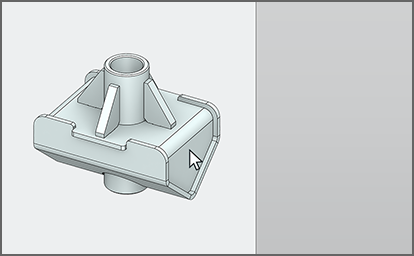
01 – Open a part, assembly, or STEP file
Open the model in SOLIDWORKS and launch RocketDXF. RocketDXF supports single and multi-body parts, as well as exporting directly from the assembly level.
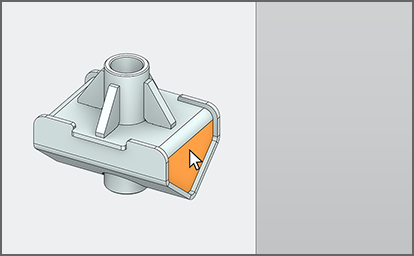
02 – Select the face of the part you want to export
Select the face of a flat or folded body to export a profile. RocketDXF detects folded sheetmetal bodies automatically and exports the profile from the flattened state.
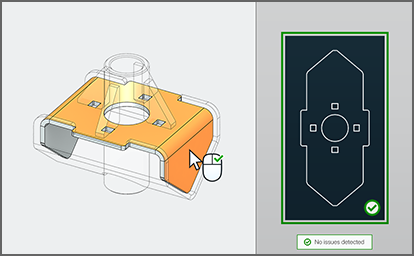
03 – Review and approve the profile preview
Review the profile preview against the model. RocketDXF automatically flags common issues, and you can zoom, pan and rotate the model and preview to check specific details.
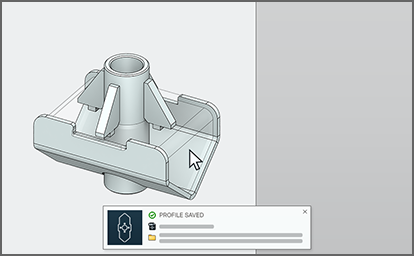
04 – Profile saved, exported part now transparent
RocketDXF automatically names and saves each file using customisable rules. Successfully exported bodies are made transparent, indicating which parts have been completed.
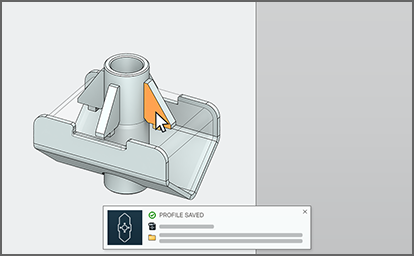
05 – Repeat until all bodies are exported
Export remaining parts, selecting directly through transparent bodies where needed to export internal faces. All parts revert to their original appearances when you exit RocketDXF.
FEATURES
RocketDXF makes exporting profiles
fast, safe, and reliable.
TWO-CLICK PROFILE EXPORT
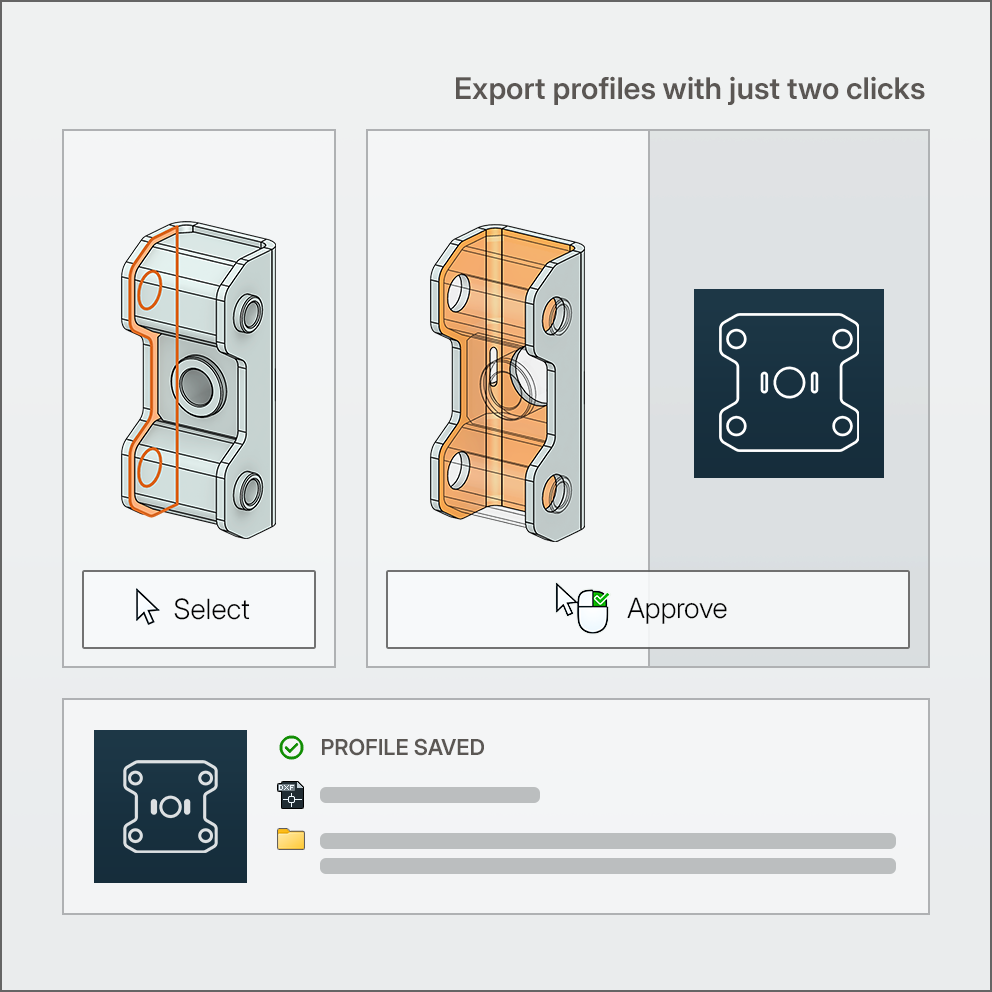
TWO-CLICK PROFILE EXPORT
Export profiles 10x faster without risking mistakes
RocketDXF automates the repetitive work behind exporting profiles without skipping the quality control – your team still approves every profile before it is released.

Two-click profile export – just select a face to export, then right-click to approve the profile.

Export profiles directly from the assembly level – no need to open and process every individual part.

No manual flattening required – sheetmetal features are automatically detected and unfolded.
VISUAL PROGRESS TRACKING
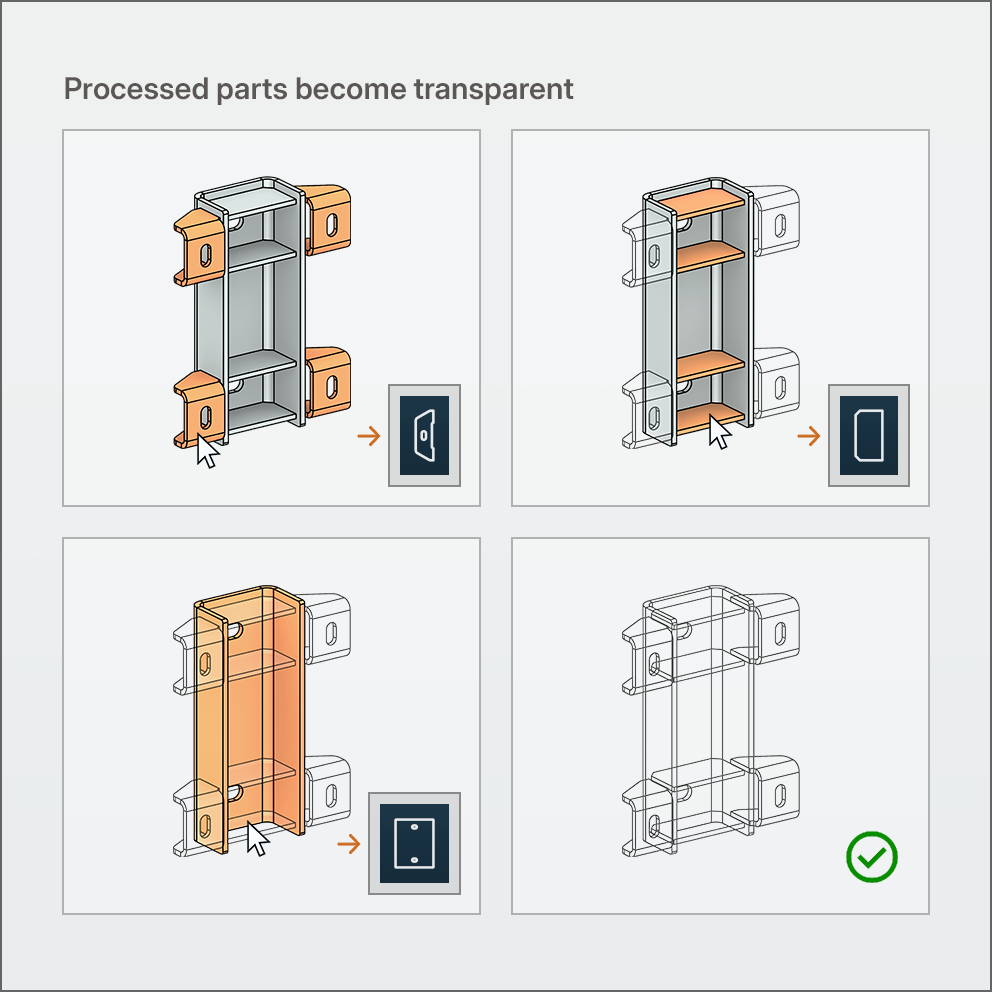
VISUAL PROGRESS TRACKING
Eliminate missed parts – the model is your checklist
RocketDXF visually indicates which parts have been successfully exported – turning the model into your checklist – so an interruption never causes a missed part.

Each body is made transparent as it is processed, indicating which parts have been completed and revealing parts that still need to be done.

Select faces of internal parts directly through transparent bodies – no need to manually hide and show bodies to export internal parts.
AUTOMATIC FILE NAMING
AUTOMATIC FILE NAMING
No filename typos means no more defective parts
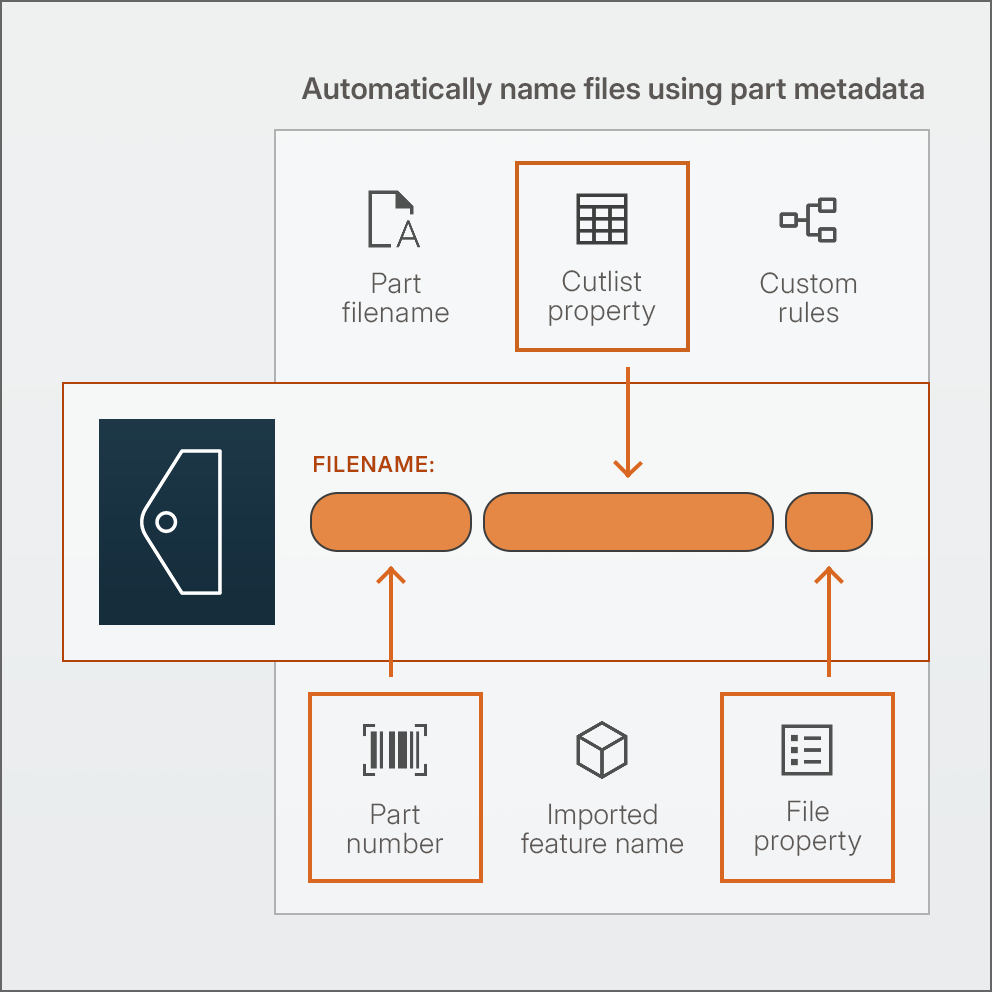
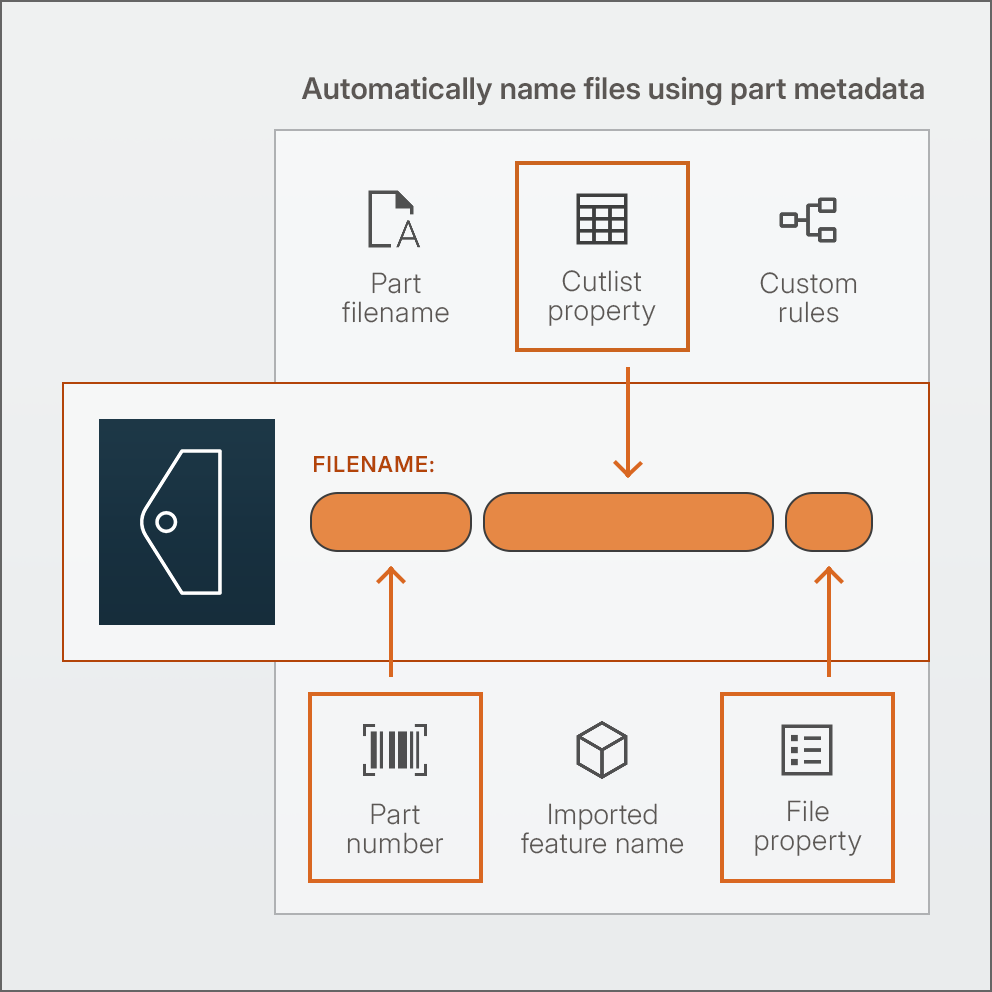
RocketDXF automatically names each file and saves it in the right location – following your naming conventions and folder structures. No manual data entry, no mistakes.

Set standardised naming rules so all profiles get named consistently across your department.

Name files using model metadata, including part numbers, custom properties and weldment cutlists.

Group exported profile files in folders by material, thickness, revision or custom defined rules.
AUTOMATIC ERROR CHECKING
AUTOMATIC ERROR CHECKING
Catch defective profiles before they are released
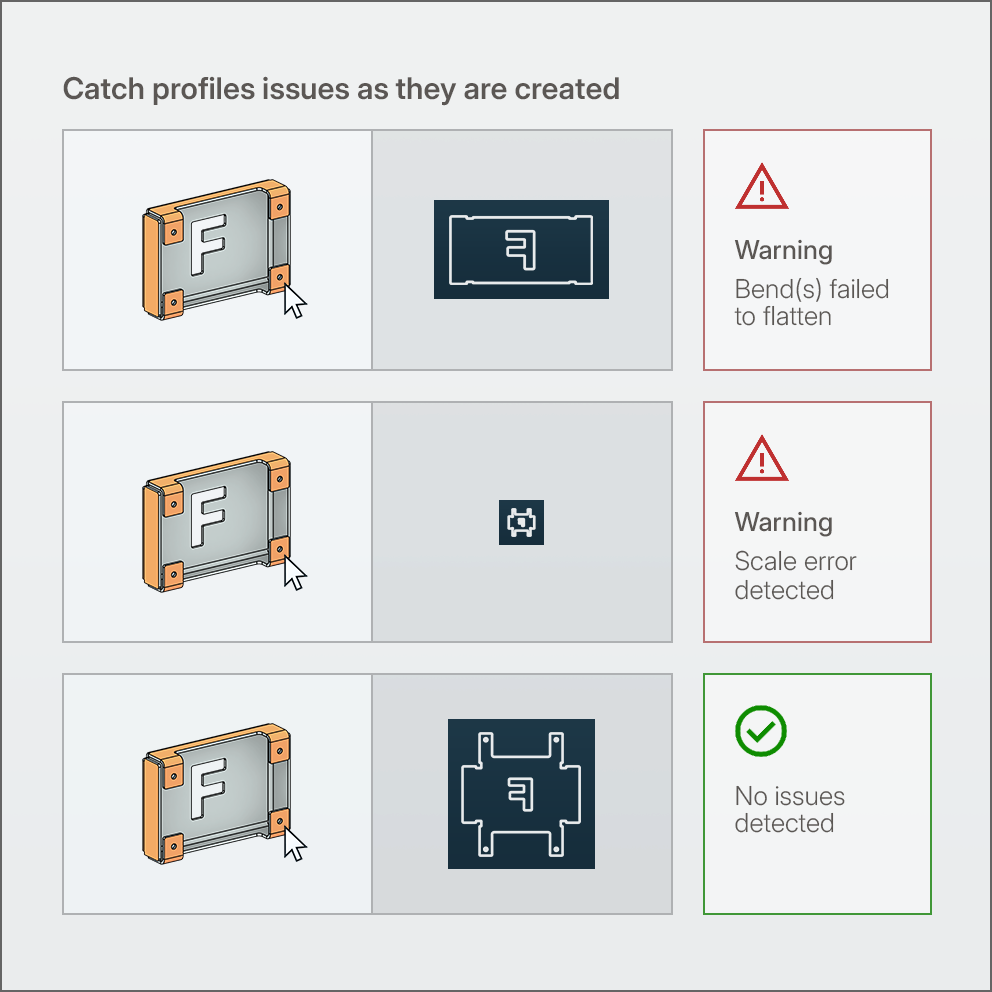
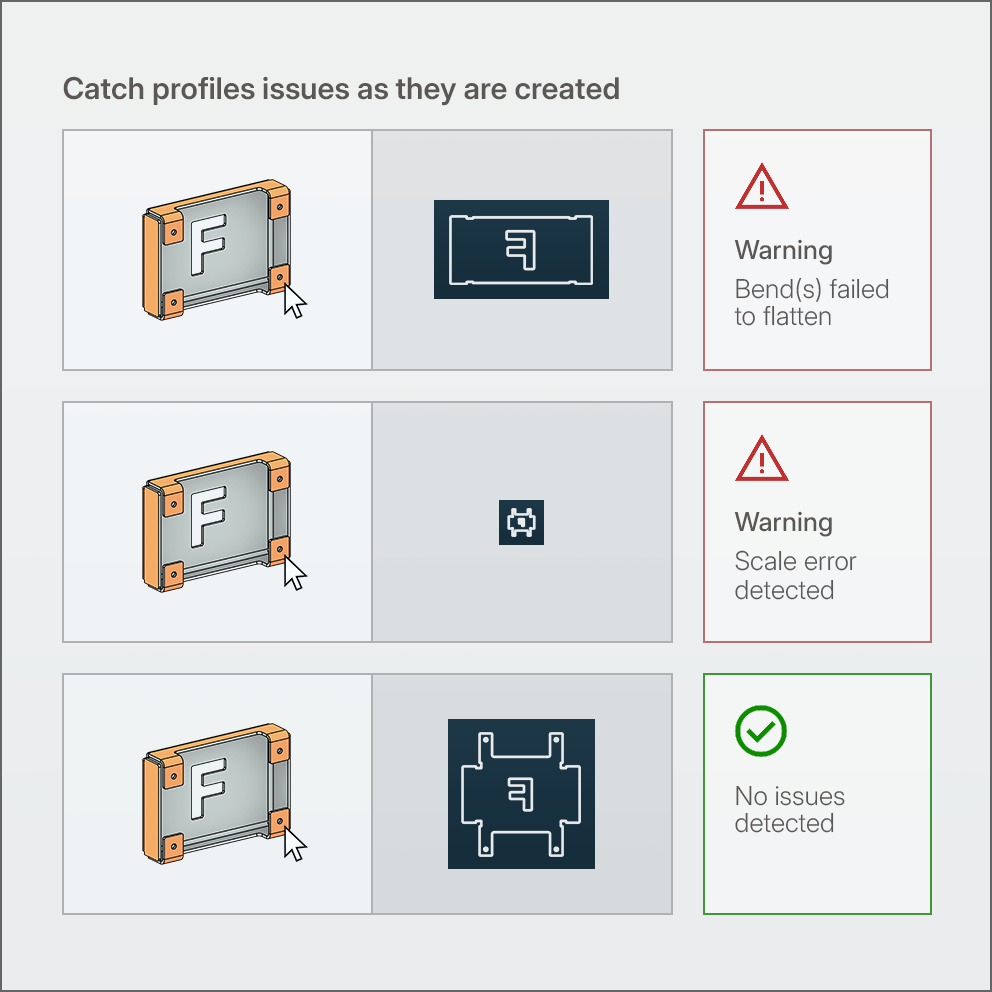
Errors are unavoidable, but RocketDXF makes them easy to catch. Every profile is automatically checked for common defects and individually approved before release.

Easily compare the profile and model using the interactive profile preview – displayed side-by-side with the interactive 3D model.

Each profile is automatically checked for common issues including scale not 1:1, etch lines on the cut layer and bends that failed to flatten.
STEP FILE EXPORT
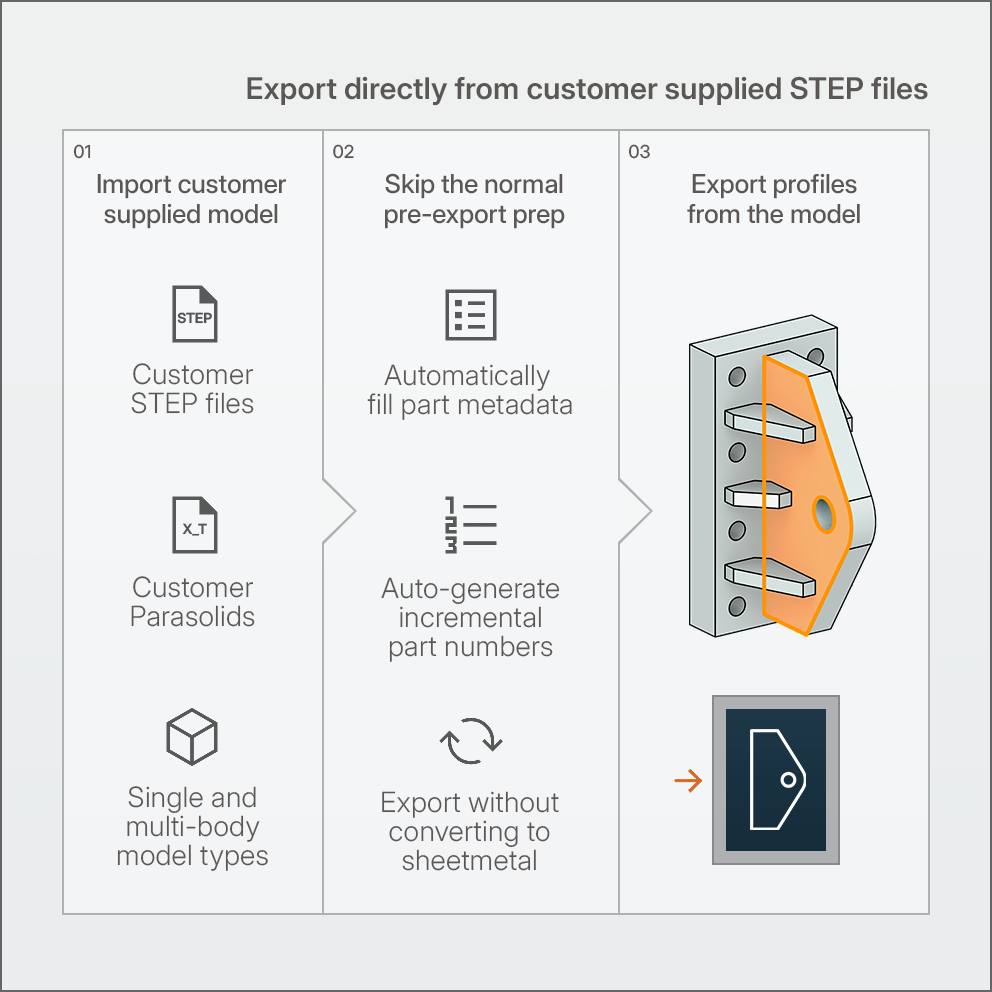
STEP FILE EXPORT
Export from customer files – without all the prep work
RocketDXF can export profiles directly from imported files – no need to manually populate part metadata or convert flat parts to sheetmetal before exporting.

Automatically populate part custom properties and weldment cutlists from file and feature names.

Generate incremental part numbers automatically that follow your naming conventions and rules.

Export non-folded profiles directly from any solid body without needing to convert to sheetmetal.
REQUEST PRICING
Ready to get started?
Enter your details below. Let's get things moving.
Questions? Email hello@rocketdxf.com

RocketDXF Ltd. Hamilton, New Zealand.
Copyright © 2026 RocketDXF Ltd. All rights reserved.